Official app
Download the bbd9 app — The best gaming experience on Android and iOS Enjoy
Bangladesh's most popular gaming platform is now right at your fingertips. Install for free and claim your exclusive app bonus.
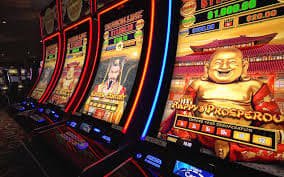
Bangladesh's most popular gaming platform is now right at your fingertips. Install for free and claim your exclusive app bonus.
Choose Your Platform
Works on any Android phone — Samsung, Xiaomi, Realme, Oppo, and more. Install the APK directly in just a few seconds.
The bbd9 app runs beautifully on iPhone and iPad. Built to meet Apple's latest security standards — fast and secure.
Bbd9 app — official site only bbd9.app Download from the official source only. Downloading from third-party sources may put your security at risk. Every version of the app is verified by our security team.
Most people today do everything on their mobile phone — from banking to entertainment. Online gaming is no different. The bbd9 dedicated mobile app is built with Bangladeshi users in mind. No more logging in through a browser every time, no slow loading — just open the app and jump straight into the game.
One of the biggest advantages of the bbd9 app is how lightweight it is. At just 10 MB, it runs smoothly even on older phones. Gaming stays fluid on 4G — and even a solid 3G connection. bbd9's goal is to make sure players across Bangladesh can enjoy a seamless experience, no matter where they are.

Even though bbd9 isn't on the Google Play Store, installing the Android APK is simple. Just follow the steps below and the app will be up and running on your phone in under two minutes.
Go to Settings → Security → Unknown Sources on your phone and enable the option. This allows installation of third-party APKs. On newer Android versions, you'll find this under Settings → Apps → Special App Access.
Tap the download button on this page. The file will be saved to your phone's Download folder. You'll get a notification once the download is complete.
Tap the notification or locate the bbd9.apk file in your File Manager and open it. Tap the Install button and wait a few seconds.
Once installation is complete, the bbd9 icon will appear on your home screen. Tap it to open the app, log in to your account, and start playing.
Installing bbd9 on an iPhone or iPad works a little differently. Since iOS doesn't support APK files, the bbd9 iOS version uses a special installation method. Please read through the steps below carefully.
Open Safari on your iPhone or iPad and go to bbd9.app/app. Tap the iOS download link. A popup will appear with an "Allow" or "Trust" option — tap it. Then go to Settings → General → VPN & Device Management and trust the bbd9 profile. That's it — you can now open bbd9 directly from your home screen.
Many users play directly by opening bbd9.app in their browser, and that works just fine. But the dedicated app offers a few extra advantages you won't get in a browser. See the comparison below:
| Feature | Bbd9 App | Mobile Browser |
|---|---|---|
| Loading Speed | Much faster | Relatively slower |
| Push Notifications | ✔ Yes | ✘ No |
| Auto login | ✔ Yes | ✘ No |
| Offline mode | Partial support | ✘ No |
| App bonus | ✔ Exclusive | ✘ No |
| Game graphics quality | Premium Quality | Browser-Dependent |
| Battery Usage | Optimized | Relatively higher |
Simply downloading the app unlocks special benefits from bbd9. Log in through the app for the first time and get 50 free spins — something browser users don't receive. There's also an app-exclusive daily bonus that unlocks every time you open the app.
Bbd9 runs special promotions for app users during festivals and public holidays. Keep push notifications on so you never miss an offer. Deposits and withdrawals made through the app also tend to process faster. All in all, downloading the bbd9 app is a real advantage for any active player.
Sometimes your browser may show a warning when downloading an APK on Android. This is normal — it happens with any APK downloaded outside of Google Play. The bbd9 APK is completely safe and malware-free. Just tap "Download Anyway" or "Keep" to continue.
If you see a "Parse Error" or "App Not Installed" message during installation, it likely means you have an outdated APK or your Android version is not supported. Check your Android version and, if needed, contact our support team — they're available 24/7 to help.

Bbd9 regularly releases app updates with new games, features, and security improvements. Android users will see an update notification as soon as they open the app — one tap installs the latest version. iOS users receive updates the same way, through in-app notifications.
Some features may not work properly on older versions, so it's best to always stay on the latest version. You can find a full list of changes in the app's "What's New" section with each update. bbd9 continuously improves the app based on user feedback, so don't forget to leave your thoughts.
Alongside the mobile app, bbd9 runs great on desktop browsers too. Whether you're on Windows, Mac, or Linux, just open bbd9.app in Chrome, Firefox, or Edge and enjoy the full collection. Games look even better on a larger screen, especially slots and fish games. No extra software needed — your browser gives you the complete experience.
Why the bbd9 app
Bbd9 is built with optimized code, so even older phones deliver a smooth, lag-free gaming experience.
Your account and payment details are fully protected with SSL encryption and two-factor security.
Mobile Banking, Nagad, Rocket, and all other popular payment methods in Bangladesh are supported directly in the app.
Slots, fish games, Live Casino, Sports Betting — all in one app.
Bbd9 app's dark mode reduces eye strain when playing at night or in low-light conditions.
For any issues, reach out to customer service in Bengali via live chat directly within the app.
FAQ
Get started now
Sign up, claim your first deposit bonus, and start your journey on Bangladesh's best gaming platform.